
 雷科技
雷科技







The PC industry has truly been struggling lately.
In the old days, when consumers held off upgrading their computers, manufacturers could blame slow incremental hardware upgrades. Nowadays, hardware improvements have accelerated drastically, yet prices of memory, storage drives and graphics cards keep soaring unreasonably. After watching new product launches, it’s clear performance has improved, even thin-and-light laptops are priced comparably to workstations.
Consumers figure their old devices still boot up fine, so they decide to stick with them for another three years.
Naturally, manufacturers are growing anxious. Over the past two years, nearly all PCs have pivoted heavily toward AI features. Processors come equipped with NPUs, keyboards feature dedicated AI hotkeys, operating systems integrate AI assistants capable of meeting transcription summaries and photo cutout tools. Even so, shoppers still base their purchases on raw performance, battery life and price; few genuinely buy laptops specifically for these AI capabilities.
At its core, the term PC stands for Personal Computer, a device fundamentally built for human use.
This inspired AMD to formulate a new strategy. If adding AI-centric features to traditional PCs fails to resonate with buyers, AMD has coined an entirely new term: Agent Computer. Now the whole industry is left wondering how to keep pace.
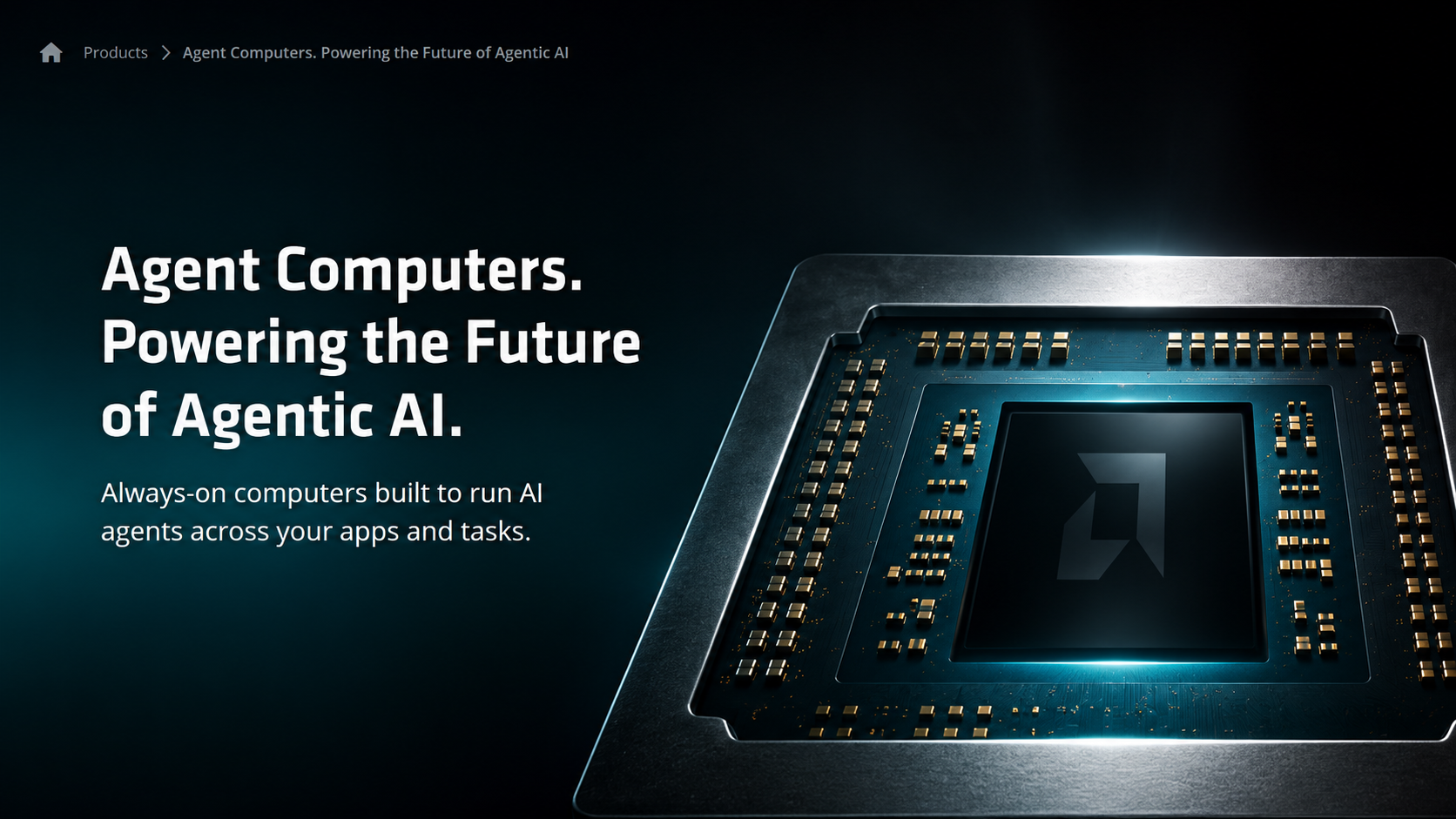
(photography by AMD)
Funny enough, the AI hasn’t even paid me a salary yet, and it’s already asking me to get it a dedicated computer?
Devices built to run Agents are shortened to AC
First off, let me break down what an Agent Computer (hereafter referred to as AC) actually is.
Per AMD’s definition, an AC is hardware purpose-built for long-term operation of AI Agents, built around three core traits: always online, always accessible, always operational.
To draw clear distinctions: an AI PC adds an AI sidekick to your personal computer; an Agent PC lets that AI sidekick control your existing computer; an AC, by contrast, is a full PC you assign exclusively to the AI sidekick itself. You do not need to sit in front of it clicking a mouse. Simply assign tasks via your smartphone, messaging apps or another computer, and the Agent can call upon AI models, local files and software tools in the background, running continuously for hours or even multiple days on end.
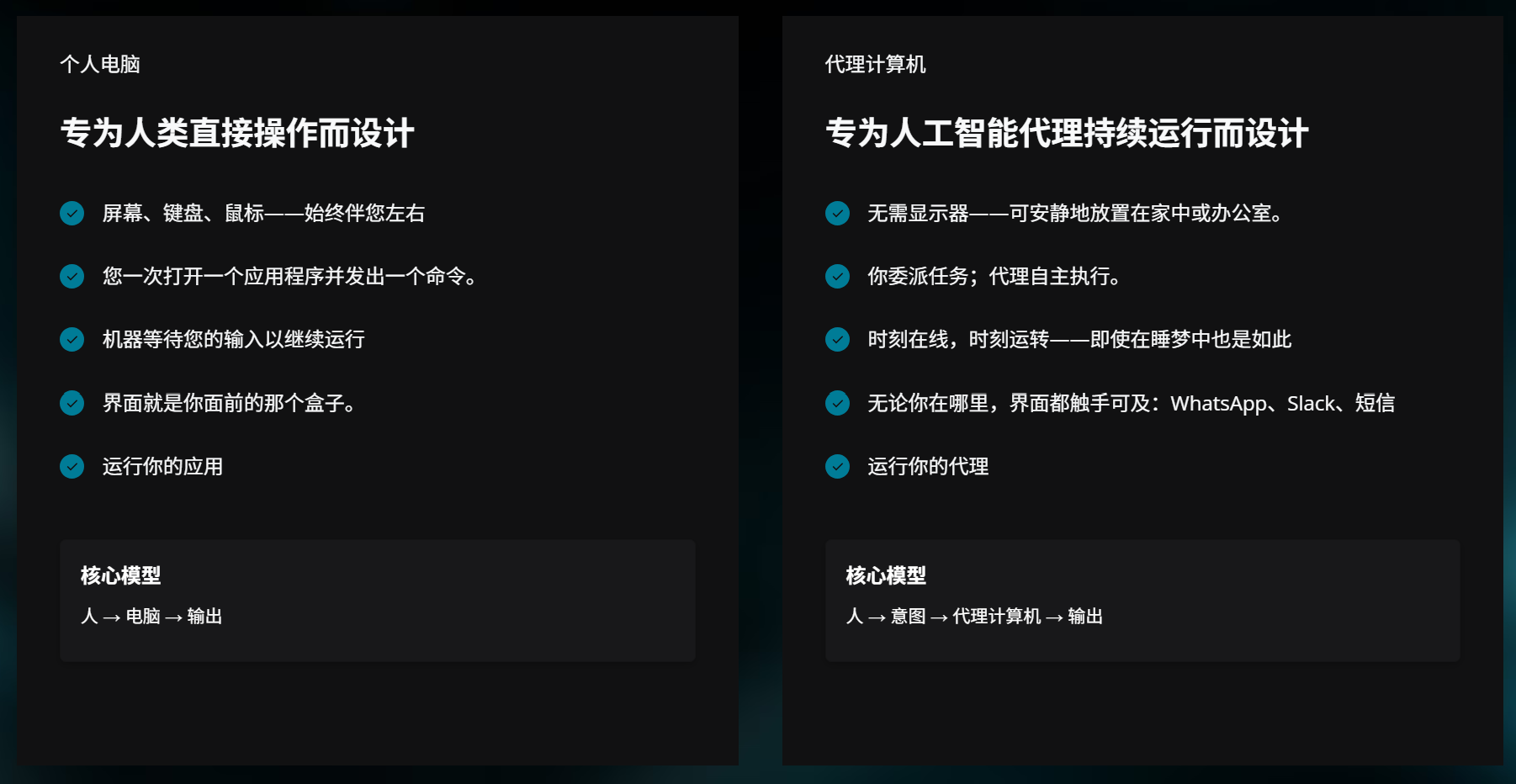
(photography by AMD)
Therefore, an AC does not necessarily require its own screen, keyboard or mouse.
To promote its products, AMD lists a lineup of recommended devices on its introduction page. Most devices classified as AC are compact mini PCs equipped with ample memory and robust AI computing power. They focus on silent operation, low standby power consumption and relatively strong performance.
It is quite similar to the Mac mini that gained massive popularity earlier this year.
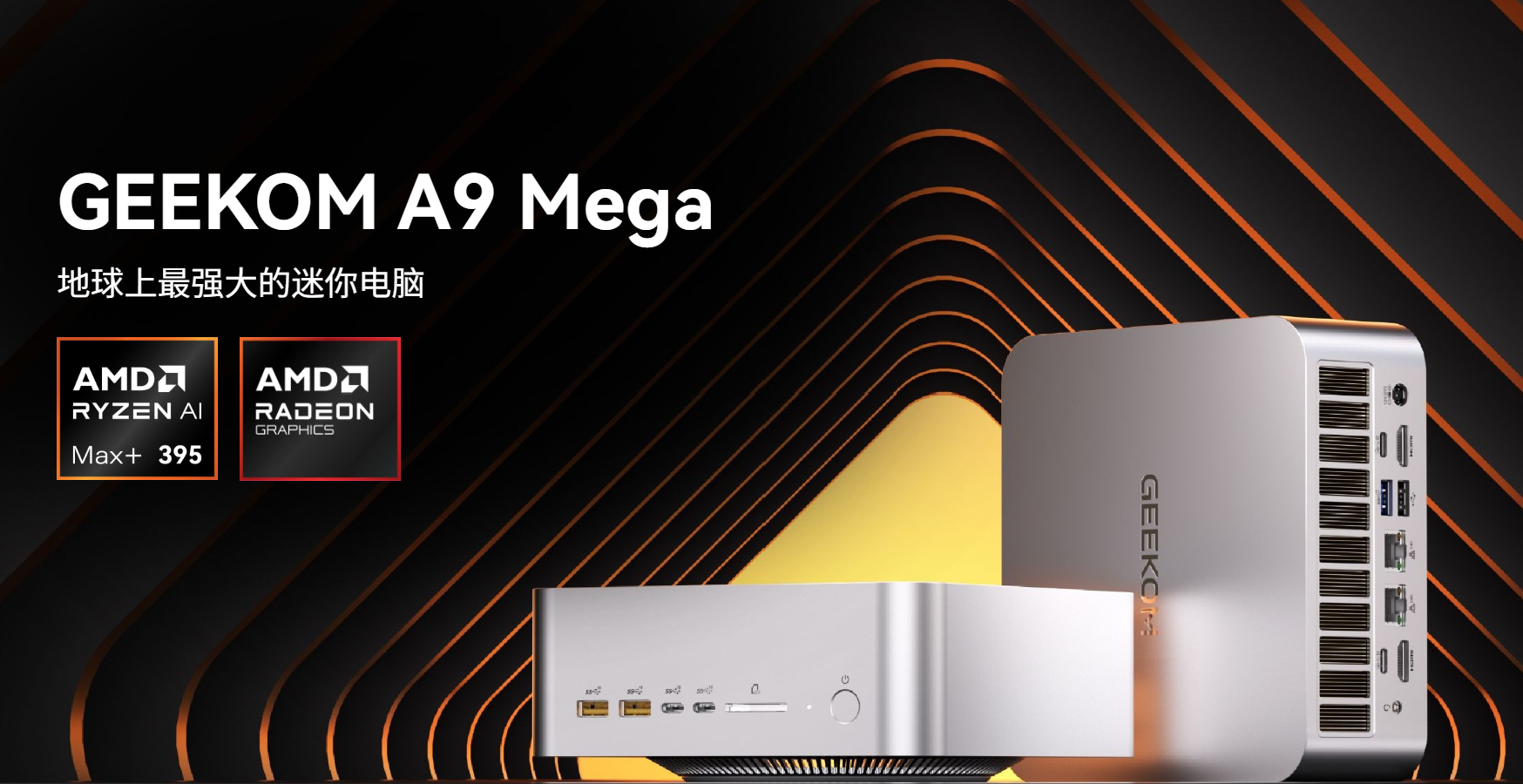
(photography by AMD)
At this point, you’ve probably figured out where this concept originated.
Interestingly, at this year’s WAIC, brands used varying wording for promotion, yet plenty of products matching this concept were showcased.
Take Lenovo as an example. It brought its newly released Lenovo AI MINI host to this year’s exhibition.
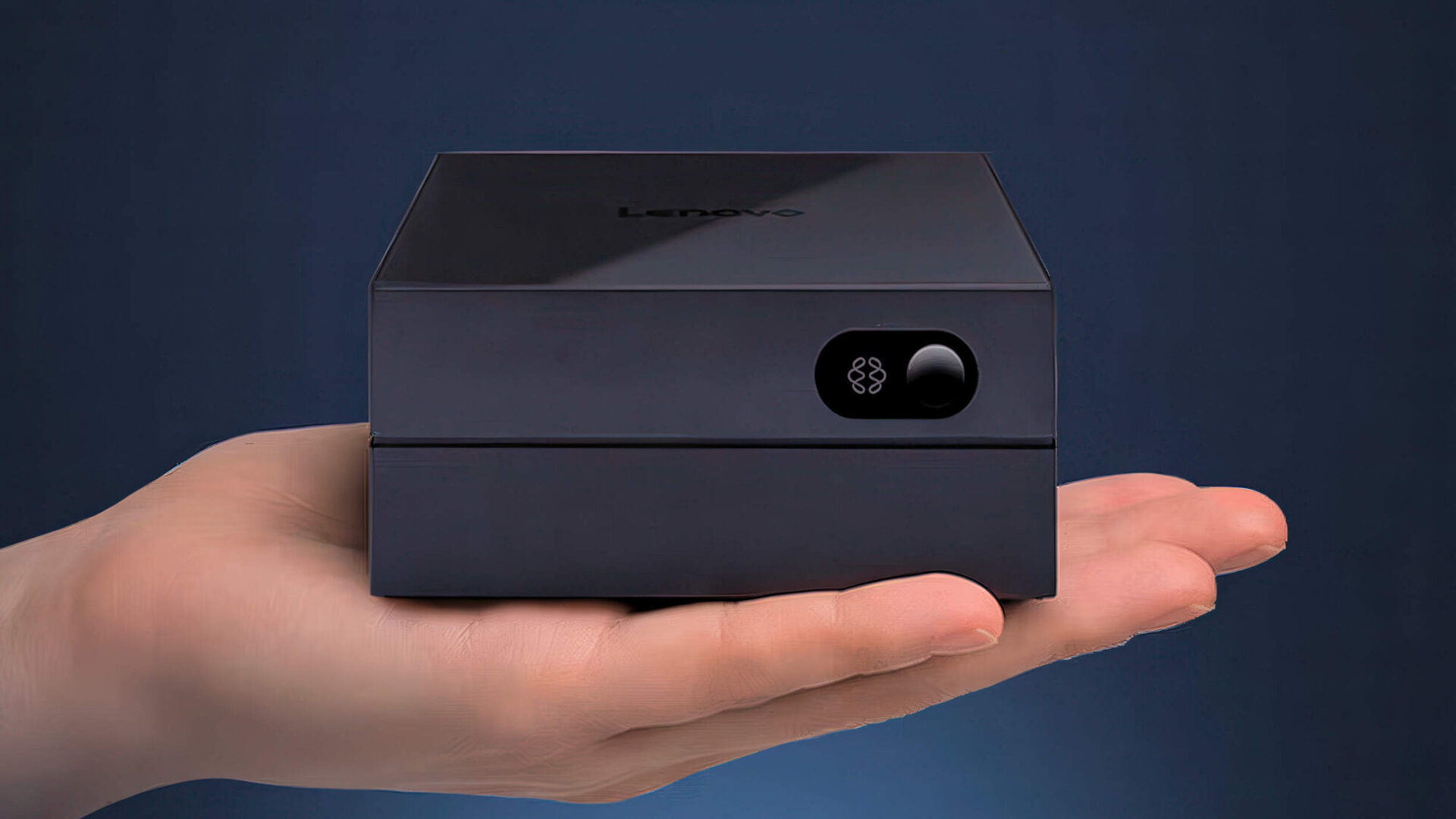
(photography by Lenovo)
It is reported that this device comes pre-installed with the Ubuntu system out of the factory, and users can finish device setup by scanning a QR code with their mobile phones.
Its biggest highlight is the adoption of a domestic computing platform: the Xinchi P1 processor. Built on a 6nm manufacturing process with an Arm architecture, the chip features a 12-core CPU and a G720 MC10 GPU. It also integrates a dedicated NPU, delivering a total computing power of 45 TOPS as claimed by Lenovo.
While its local computing performance is relatively modest, the device is designed primarily to allow an entire family or team to connect to the same Tianxi Agent for shared task access among multiple users. Lenovo positions it as an always-on local AI hub for long-term operation.
Naturally, Lenovo also offers options with ample local computing power. A case in point is the Lenovo AI Host P7 co-developed by Housemore AI and Lenovo. Weighing only around 300 grams, it boasts 190 TOPS of local computing capability and supports deployment of models with up to hundreds of billions of parameters.
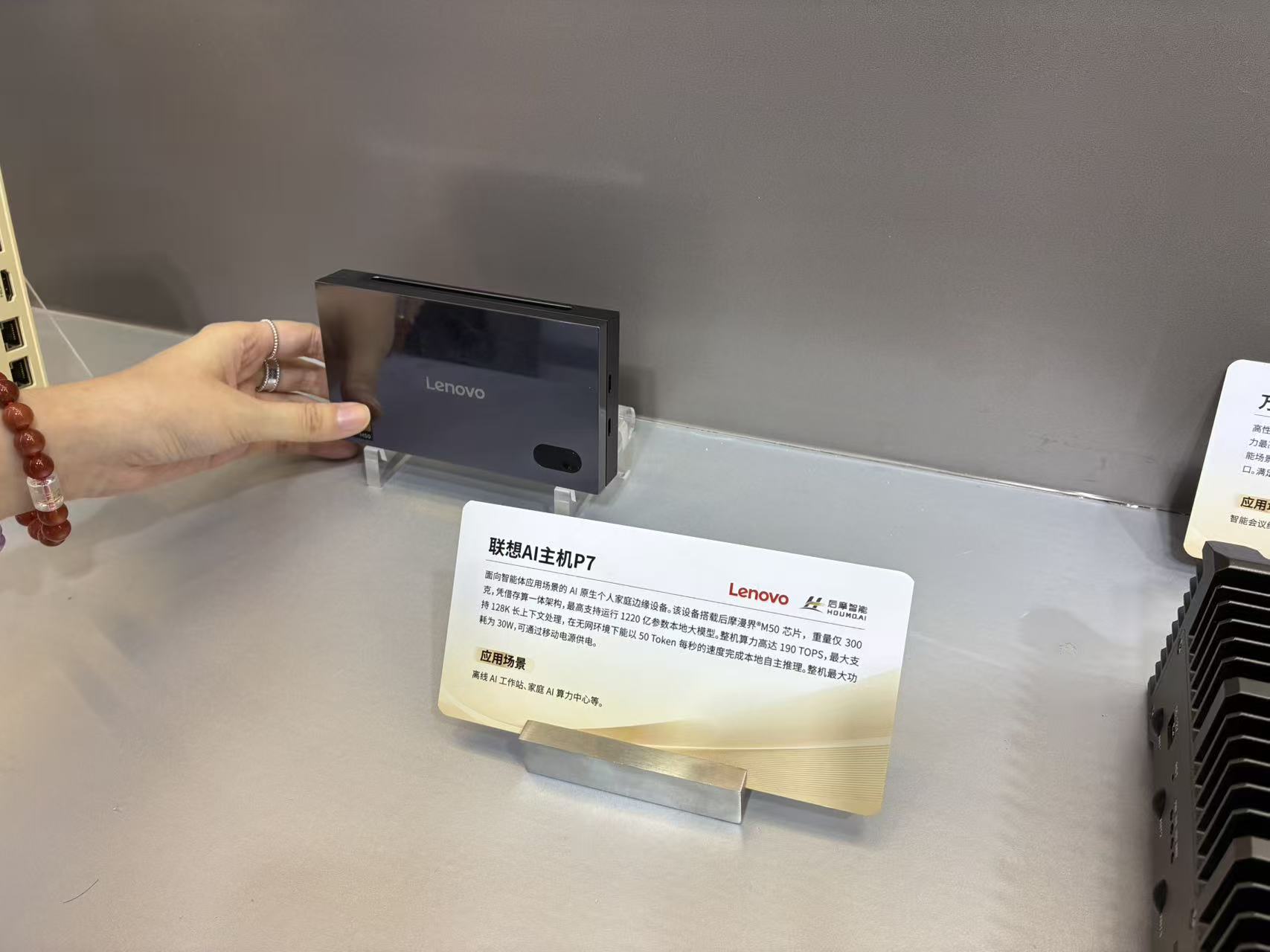
(photography by Leitech)
Most importantly, this product can run with a portable power bank and execute AI models whether connected to the internet or offline. You can entirely regard it as a pocket-sized personal AI server.
That said, its price tag of 6,999 yuan is undeniably costly by any measure.
Besides, Agent desktop devices such as AI WorkMate equipped with cameras, voice interaction and projection functions were also on display at the venue. Their appearance has gradually evolved far beyond traditional computers, edging toward desktop robots.
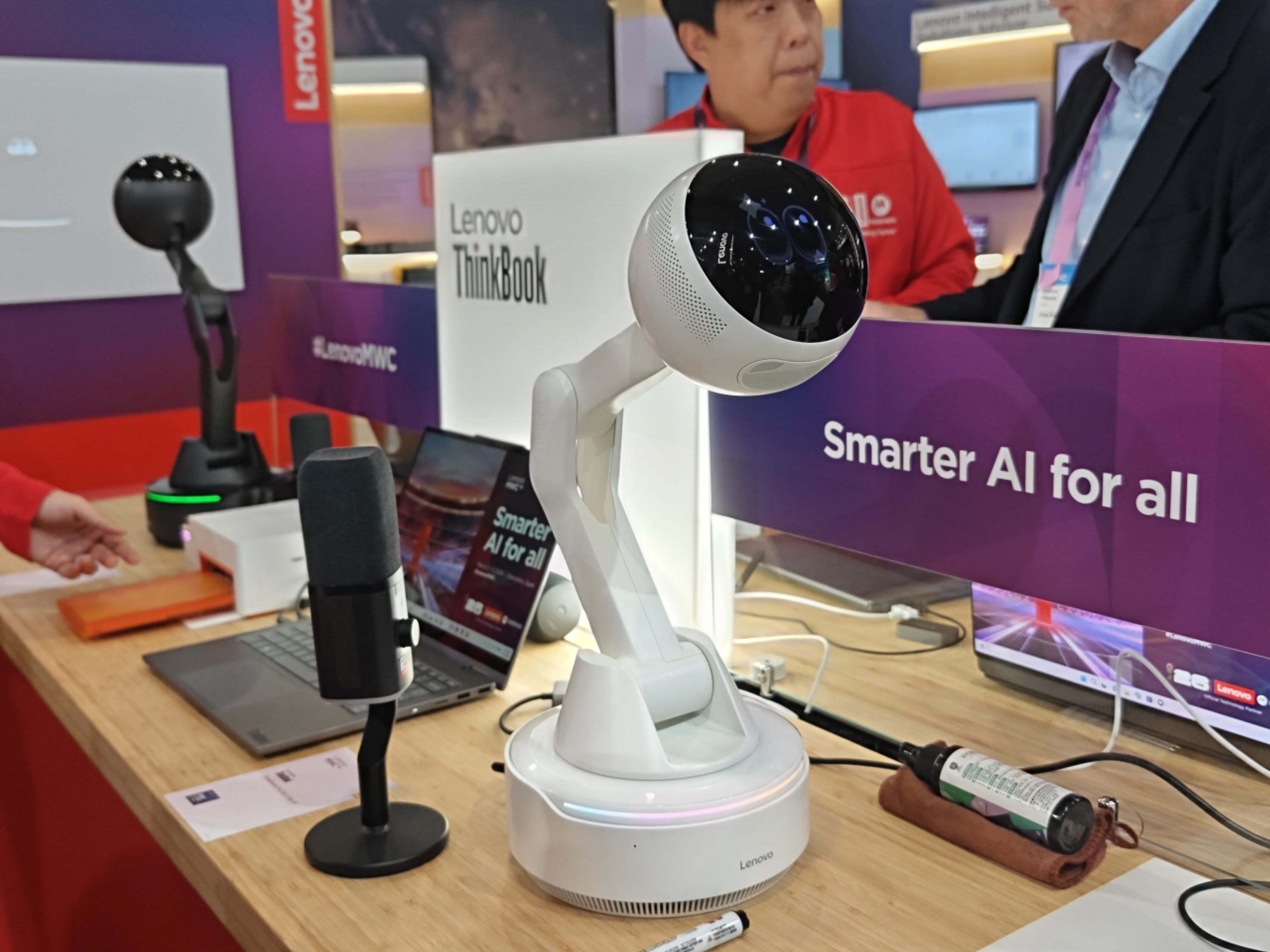
(photography by Leitech)
As for SenseTime and Innosilicon, they also showcased a device named "Shrimp Box" at this WAIC event.
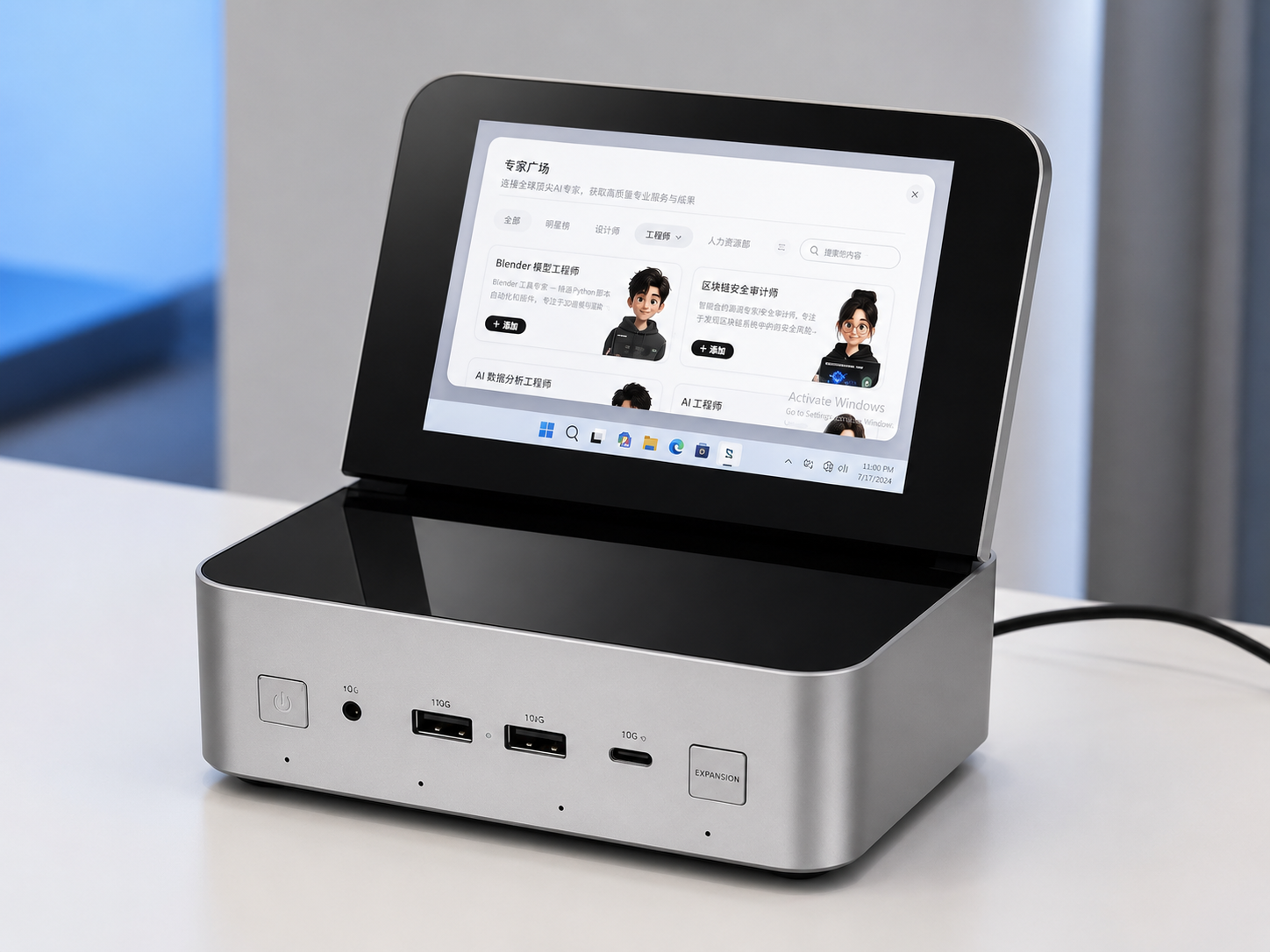
(photography by Leitech)
It is evident that numerous enterprises spanning hardware makers, chip developers and model providers are prioritizing integrated software and hardware development. All these companies are pushing forward in line with the definition of Agent Computer, striving to achieve deep coordination between hardware and AI Agents.
Do humans and Agents have to rely on separate devices?
At this point, many readers may wonder: is it truly necessary to build a dedicated computer exclusively for Agents?
Well, AMD’s answer is yes. More drastically, the company argues that humans and Agents had better not permanently share one single computer.
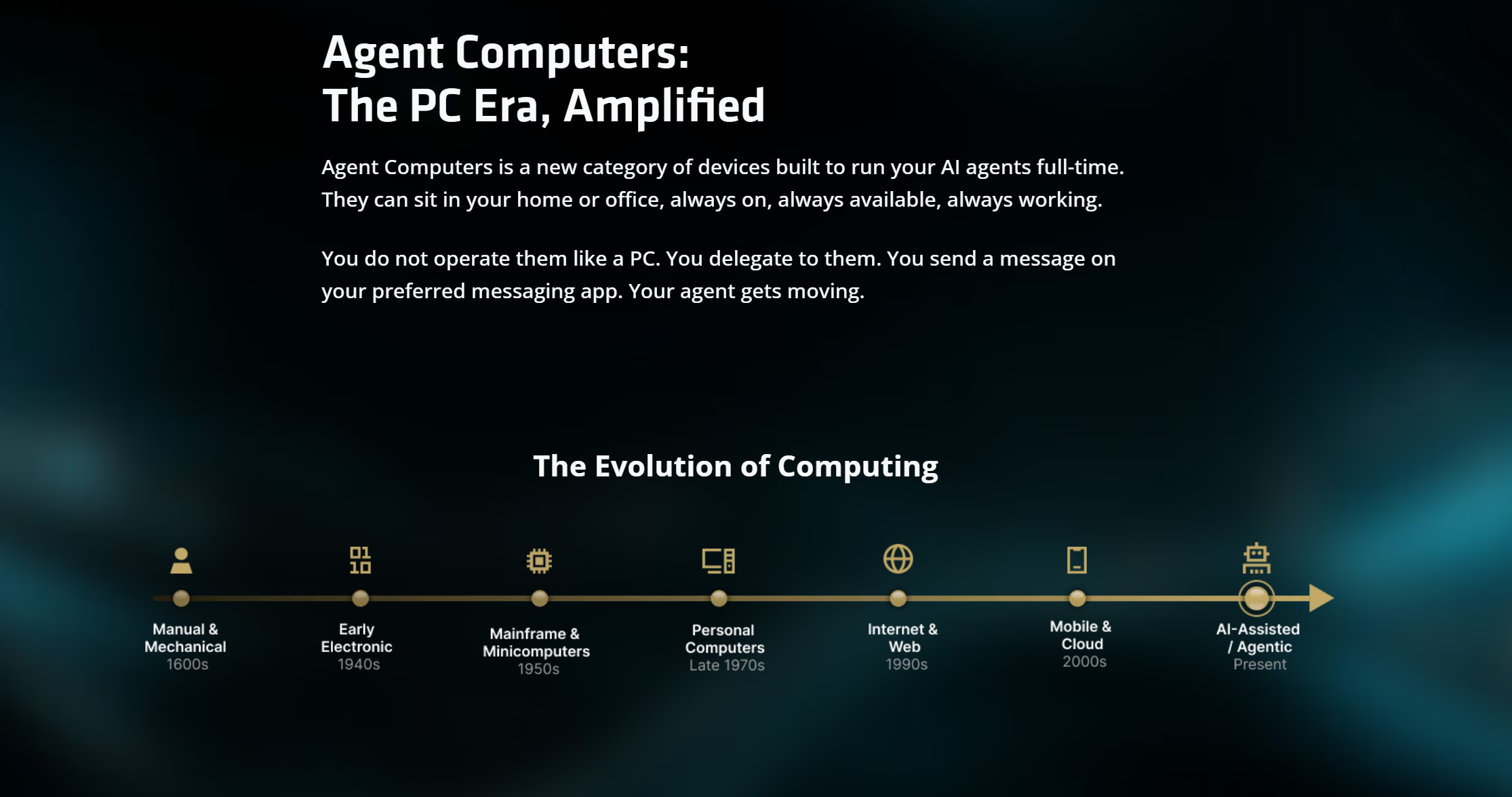
(photography by AMD)
The reasoning is straightforward: human users impose intermittent loads on a computer. We write articles, edit images, play games, then shut down the device once finished. An AI Agent, however, ideally operates more like a server. It constantly waits for assignments, advances multiple projects concurrently, retries failed tasks, and may keep running while you sleep.
This is especially true for applications such as Codex, which are built around multi-Agent parallelism and long-duration tasks. If you power off the computer, how can the program keep running?
As for performance concerns, I personally haven’t run into major issues.
Let me briefly go over my hardware setup. My current PC features an Intel Core i5-13600KF paired with an RTX 4070 Ti, alongside a total of 10 terabytes of SSD storage and 64 gigabytes of RAM. While this configuration cannot run ultra-large local AI models, I experience no obvious stuttering, resource runaway, or cases where the Agent hijacks mouse input during regular Codex usage.
Bear in mind that most Agent computation happens on the cloud. Local hardware mostly handles file reading, tool invocation, and result display. Besides, I rarely run batch processing or scheduled tasks, so there is no pressing need to set up a separate dedicated machine for the Agent.
That said, my robust hardware configuration smooths out these troubles. In fact, numerous users online report widespread issues: Agents hogging system resources, persistent memory leaks with unused RAM failing to be freed, and long-running workflows crashing midway.

(photography by reddit)
Nowadays, most college students rely on thin-and-light laptops, most of which start with 16GB of RAM. If you keep web pages, WeChat, documents and video editing software running while letting multiple Agents execute tasks in parallel, the user experience becomes downright frustrating.
Users resent Agents gobbling up RAM, while Agents hate it when humans shut down the computer. It is a classic case of mutual dislike.
Still, compared with performance dips and minor usability inconveniences, access permissions may be the real reason why humans and Agents ought to use separate devices.
For an Agent to complete work on your behalf, it needs access to your files, email accounts, browsers, code repositories, and even internal corporate systems. However, the more capable the Agent grows, the greater the damage it can cause once something goes wrong. We have seen seasoned developers on X suffer catastrophic database-wiping accidents on more than one occasion.
That explains AMD’s recommendation: deploy highly autonomous Agents on standalone hardware. Do not hand over your primary account credentials, personal data and company confidential information all at once, letting the Agent gamble away your entire digital life with an all-in risk.
Will AC fully replace traditional PCs?
I believe AC devices will remain relevant long-term and prove extremely valuable for certain groups of users.
Developers, researchers and content teams, for instance, constantly run numerous long-duration tasks. Having Agents reside permanently on dedicated hardware to sort materials, run code and organize databases means workflows will not grind to a halt the moment an employee shuts their laptop lid. This logic holds perfectly.
AC is somewhat analogous to NAS storage. It may seem pointless to many ordinary users, yet anyone who builds media libraries, backs up footage or manages photo archives will find it irreplaceable once they start using it.

(photography by Leitech)
But claiming that these devices will replace PCs strikes me as total nonsense.
For average users, regular PCs paired with cloud-based large language models are more than sufficient for AI tasks such as document summarization, photo editing and information research. In fact, tools like Doubao easily meet the needs of most people. Expecting users to abandon familiar interaction methods entirely for command-only operation is nothing short of wishful thinking.
Moreover, given the current market with skyrocketing hardware prices, asking people to purchase a high-performance mini PC solely to run Agents is rather unrealistic.
Perhaps storage and RAM prices will drop someday, making new computers affordable again. Even in that best-case scenario, PCs and ACs will most likely coexist. Humans will no longer need to share a screen with Agents, and Agents will stop being forced to stop working every time users power down their machines.